Auto-crop images &
split scans into separate photos
Drop in a scanned page and AI automatically detects, crops, and straightens every photo on it. Crop multiple images at once — online, free, in your browser.
Drag & drop your scans here
Free — 5 scans a day, no signup needed
Watch it work on a sample scan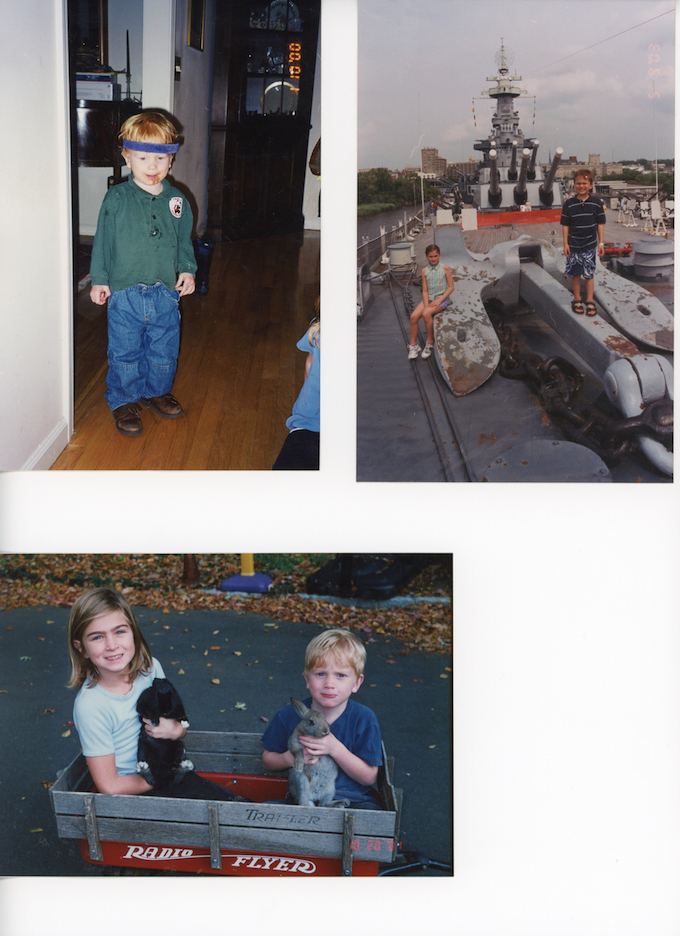
Real sample scan — the same one in our live demo · 3,000,000+ scans processed
How it works
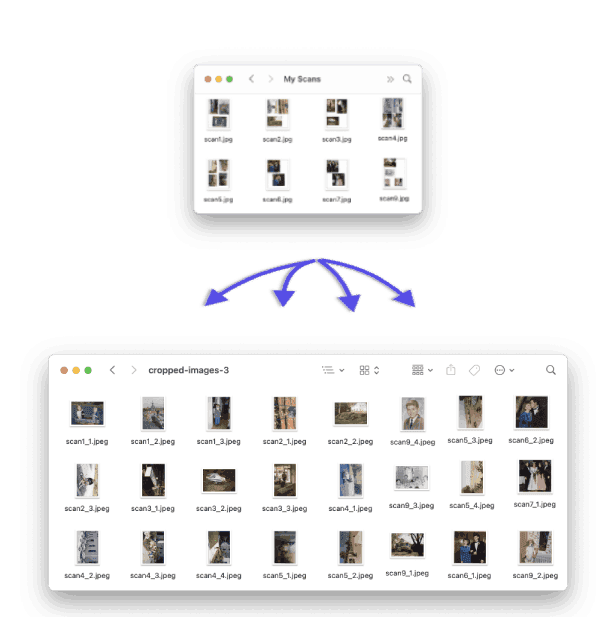
Every photo on your scan becomes its own file
AutoCropper picks up where your scanner leaves off. Bring scanned album pages, photo piles, or card binder sheets from any flatbed or phone, and every photo comes back as a separate, full-resolution file, right in your browser.
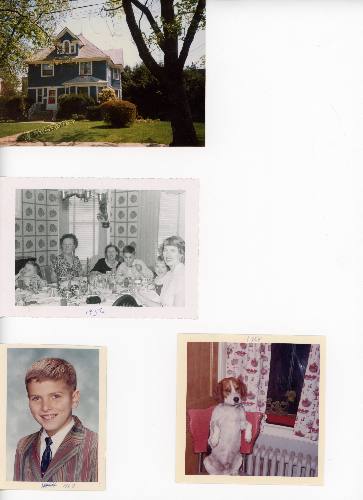
album_04.jpg
2.4 MB
Step 1
Start with the scans you already have
Any page with several photos on it works: album pages, loose photo piles, or a binder page of baseball or trading cards (here is how to crop trading cards from a scan), whether scanned on a flatbed or shot with your phone.
Still scanning? Tips for scanning photos in bulk- 1234
Step 2
Upload. AI outlines every photo
Drop your pages in and detection draws a numbered box around each photo in seconds. Drag, resize, or rotate any box before you export.
- AutoCropped Photos4 files
- album_04_1.jpg
- album_04_2.jpg
- album_04_3.jpg
- album_04_4.jpg
Step 3
Download each photo as its own file
Export saves every photo as a separate full-resolution file, named after its page: album_04.jpg comes back as album_04_1 through _4. Ready for your photo library.
5 free scans a day. No signup, nothing to install.
Split multiple scans at once, effortlessly crop multiple images at once online
No more manual cropping and no more slow scanning software. Upload a scan, photo, or document and AutoCropper automatically detects and crops every image — auto-crop images, split scanned photos, and crop multiple images at once online, then batch export them as separate files.

Fastest way to scan multiple photos
AutoCropper lets you split your automatically separated, rotated, cropped scans with no compression. Upload a full size scan, and download its automatically cropped individual photos at full quality near instantly.
Detect multiple photos on each scan
AutoCropper uses a custom image detection algorithm to identify each crop area.
Crop multiple scans at once
Upload and crop multiple scans at once. Digitize your collection faster than your scanner.
Automatic rotation detection and correction
Detect rotated areas and crop them instantly.
What Our Users Say
Digital archivists, card collectors, and photo enthusiasts love how AutoCropper transforms their workflow
"WOW! I am blown away by how painless and easy Autocropper made my job. The interface is simple and perfect for the task."
"Excellent product. Better than all the nonsense AI solutions out there. Does one thing... very very well."
"Worth every penny of what I just spent. THANK YOU!"
"Hours and hours of time and effort saved. Very fast and super-intuitive."
"Saved me hours of work. So good!!!"
"Exactly what I needed. Worth every penny of the Pro version!"
"10/10 would recommend. Made my giant scanning project fear disappear!"
"Brilliant service. The auto detection is almost flawless."
"I'm surprised just how well it works! It's faster and better than anything else I've found on the internet."
Multiple photo scanning software tool
Digitizing your collection with AutoCropper is fast. Your photo scanner's software is slow and inaccurate. You can scan multiple images at once quickly and easily, and automatically split each to separate files using AutoCropper over 10x faster.
Full quality upload and download with no compression
No upload size limit or compression.
Automatic photo detection
Each individual photo on your scan is detected instantly.
EXIF encoding and more
Encode hidden data such as title, description, tags, dates and more.
Crop the same spot on every image
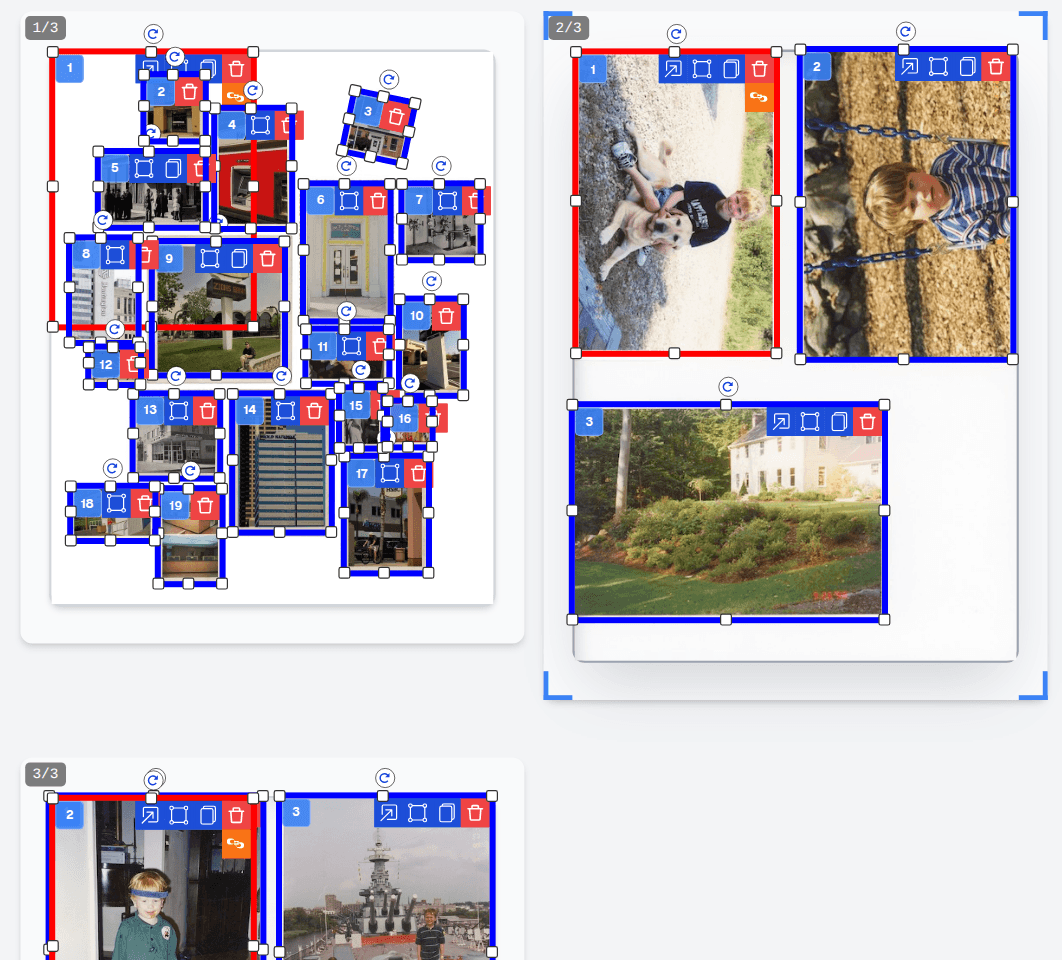
Cropping a batch of images with the same layout? Draw the crop once. Sync crops place an identical crop on every image you upload and keep them linked — adjust one and they all follow — and crop templates save the layout for every future batch.
Sync crops across images
Convert any crop to a sync crop and it appears on all your images, moving, resizing, and rotating together.
Reusable crop templates
Save your crop layout once and apply it to any future batch — templates scale to each image's size.
Film strip mode
Lay evenly-spaced, uniform crops across negatives, photo booth strips, and contact sheets.
Crop multiple areas of one image
Crop multiple images at once, multiple parts of one image. Extract multiple areas from single image at the same time. Crop multiple areas, download to separate files instantly. Download individual separate images with a single click.
Make precise adjustments
Use the Advanced Editor to refine individual crops precisely and encode EXIF data.
Learn MoreLearn how to scan and crop photos faster
Step-by-step guides for digitizing photo collections — from scanner settings to splitting every photo into its own file.
Looking for the manual? How to use AutoCropper · Uploading scans · Detection methods · Exporting crops
Digitize your entirephoto collectionin record time
Scan multiple photos at once, then let AutoCropper instantly split them into perfect individual files. Hours of work done in minutes.